Forum Discussion

Problems with Quick Steps in Outlook New
 Dec 12, 2024
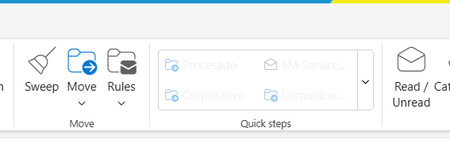
If a quick step has an Action in it that cannot be applied to the currently selected email, it will be greyed out in the Ribbon. For example, if a quick step Unpins an email, it will be greyed out unless the current email is Pinned.

Outlook 365 updated from Version 2601 Build 16.0.19628.20214 (where this problem exists) to Version 2512 Build 16.0.19530.20226 today and now my Quick Steps are working again even with the Clear Categories action!
The thing is, Outlook has switched between version 2512 and 2601 all month on me so each time I log in, I never know if my Quick Steps will work!
I am using the workaround of adding Shortcut Keys and since I only mainly have 3 QS that don't work, that works for me too.
I have: Microsoft Outlook for Microsoft 365 MSO 64-bit, Monthly Enterprise Channel