Forum Discussion

bzlegends
Jun 01, 2023Copper Contributor
Pictures in meeting invite not showing
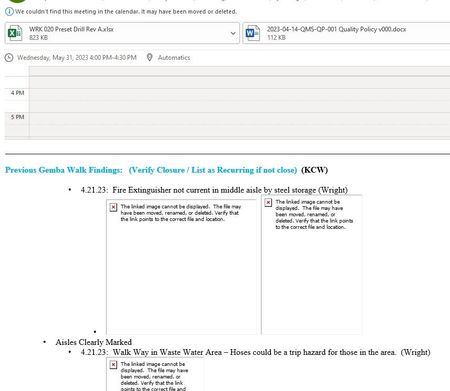
Hello, When i send out a meeting invite to everyone the pictures are not showing up. I get the red X on all my pictures. Yet when I sent out a regular email all the pictures show just fine. See s...

bzlegends
Jun 05, 2023Copper Contributor
Teresa_Cyrus
Thanks for your response. My regular email are not having the issues with the pictures not showing. All my incoming emails show pictures just fine. The video link you provided is how i have my outlook setup so i receive all emails with pictures. The problem is when i send a meeting invite out with pictures or receive a meeting invite with pictures none of them show up. Yet in my send folder it shows the pictures just fine. I think its the meeting invite part that has the bug.
See if your outlook does the same thing by sending yourself a meeting invite with pictures to see if you receive them or if you get the Red X box with no pictures. This happens in Office 365 and Office 2016. Yet if i send them out in the web based Outlook i receive the pictures just fine.
I've seem others have this same issue by doing a google search.
Thanks.
Bob Z.
Thanks for your response. My regular email are not having the issues with the pictures not showing. All my incoming emails show pictures just fine. The video link you provided is how i have my outlook setup so i receive all emails with pictures. The problem is when i send a meeting invite out with pictures or receive a meeting invite with pictures none of them show up. Yet in my send folder it shows the pictures just fine. I think its the meeting invite part that has the bug.
See if your outlook does the same thing by sending yourself a meeting invite with pictures to see if you receive them or if you get the Red X box with no pictures. This happens in Office 365 and Office 2016. Yet if i send them out in the web based Outlook i receive the pictures just fine.
I've seem others have this same issue by doing a google search.
Thanks.
Bob Z.

Teresa_Cyrus
Jun 05, 2023MVP
Thanks for the clarity. I will connect with the MS Support agent in a few hours. Stay tuned.
I will try to recreate this issue.
/Teresa
- bzlegendsJun 05, 2023Copper ContributorTeresa_Cyrus
Just to let you know i had a MS Support agent connect to my computer and try to resolve this issue. The tech had no luck either and now is going to try and connect me to a higher up level tech and will contact me tomorrow to see if the issue can be resolved. I will let you know what I find out.
Thanks again for all your input and help
bzlegends.- Teresa_CyrusJun 05, 2023MVP
My MS Support agent walked me through changing some settings, and it still did not work. She is also connecting with a product manager. She will follow up with me in next couple of days.
I will inform you my learnings when it becomes available.
Great collaboration!
/Teresa
- bzlegendsJun 09, 2023Copper ContributorFYI: They had a second higher up tech connect to my computer by remote and still not luck. He uninstalled my office 365 and re-installed it and still no luck. Lucky i knew how to re-set up everything. Because all my mail settings (advanced, trust center ect) and archive mail had to be all set up all over again. Lost all my settings. Even uninstalled all programs he thought would interfere with Outlook. Went into Regedit and bunch of other setting. Still have not resolved this issue.