Forum Discussion

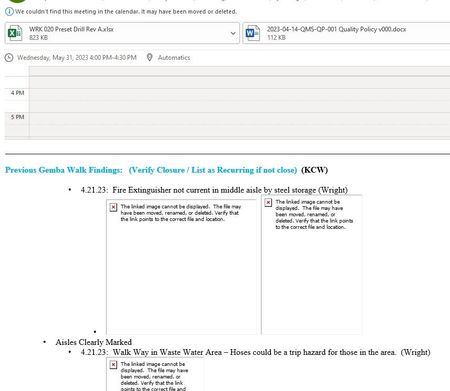
Pictures in meeting invite not showing

I am an independent advisor responding to Outlook questions.
I believe Microsoft has a bug. On Friday, I had a similar issue in New Outlook and OWA. For all incoming messages, the images were not displayed. I was prompted to add each sender as an approved sender. This method is not ideal too many emails.
I contacted MS Support. The agent had to follow up with the Product Managers. I will keep this thread informed.
If your issue occurs in Outlook for Windows, check out this video. If this video resolves the issue, please report back, mark this response as best response or like it which will assist others with the same questions.
Thank you in advance.
/Teresa
#traccreations4e
 bzlegendsJun 05, 2023Copper ContributorTeresa_Cyrus
Thanks for your response. My regular email are not having the issues with the pictures not showing. All my incoming emails show pictures just fine. The video link you provided is how i have my outlook setup so i receive all emails with pictures. The problem is when i send a meeting invite out with pictures or receive a meeting invite with pictures none of them show up. Yet in my send folder it shows the pictures just fine. I think its the meeting invite part that has the bug.
See if your outlook does the same thing by sending yourself a meeting invite with pictures to see if you receive them or if you get the Red X box with no pictures. This happens in Office 365 and Office 2016. Yet if i send them out in the web based Outlook i receive the pictures just fine.
I've seem others have this same issue by doing a google search.
Thanks.
Bob Z.- Teresa_CyrusJun 05, 2023MVP
Thanks for the clarity. I will connect with the MS Support agent in a few hours. Stay tuned.
I will try to recreate this issue.
/Teresa
- bzlegendsJun 05, 2023Copper ContributorTeresa_Cyrus
Just to let you know i had a MS Support agent connect to my computer and try to resolve this issue. The tech had no luck either and now is going to try and connect me to a higher up level tech and will contact me tomorrow to see if the issue can be resolved. I will let you know what I find out.
Thanks again for all your input and help
bzlegends.