Forum Discussion

Phishing emails appearing in recents
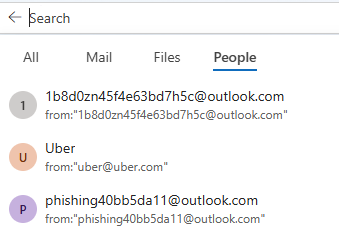

Entries in Outlook’s recent search or People suggestions do not by themselves prove that messages were sent or that the mailbox remains compromised; they can be cached suggestions. The decisive check is the Microsoft account Recent activity page. Review every successful sign-in, device, location, and protocol, not only blocked attempts. For unfamiliar successful activity, change the password again from a trusted device, enable two-step verification, sign out existing sessions, and remove unknown trusted devices. In Outlook, inspect Sent Items, Deleted Items, recoverable items, inbox rules, forwarding, connected accounts, and automatic replies for changes you did not make. Run a full Microsoft Defender scan. If no unknown successful sign-in, message, forwarding address, or rule exists, the recents list alone is weak evidence of ongoing access and can be cleared. If an unfamiliar successful sign-in remains, use Microsoft’s compromised-account recovery process and preserve the activity details for support.