Forum Discussion

Outlook Windows App Not Download Emails in Folders
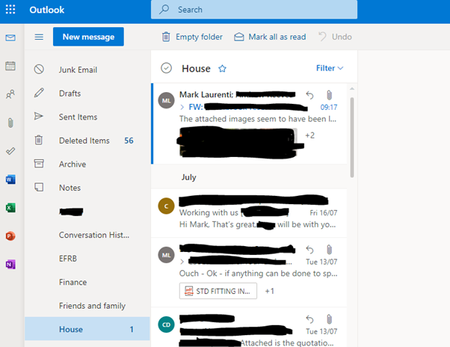

Hello Again Jose,
No problem, its always worth venturing all possible options before moving on to the more complicated.
Although I did do a profile reset previously, I have tried your suggestion to no avail. I moved the files to the root of the drive, deleted the profile and restarted Outlook. The mail re-initialised but alas, same problem.
An important thing I have just realised that i should have mentioned is that these folders were originally set up in a completely different email account. They were moved via Outlook into the Outlook account and, after some syncing, became available on Outlook.com but not in the app. Sorry, i should have mentioned this before
All the best
Mark
All Fixed. Found the issue. After removing the profiles, deleting the outlook folder in Local and Roaming AND doing a full online office repair, the issue wasn't resolved but i decided to check the view settings and found it:
I've no idea why it did this but there is an option to hide messages marked for deletion (Not sure why Outlook thinks its marked for deletion). Setting to one of the others made the emails appear. I think there is a larger issue at hand but for now, i'm glad its working.
Hopefully this'll help someone else in a similar issue - i believe it has something to do with moving the folders from one email to another using Outlook.
All the best
Mark
 BenGrayApr 22, 2024Copper Contributor
MarkLaurenti Thank you so much for posting this! fixed my problem perfectly.
 ACTTechMgrAug 25, 2022Copper Contributor
MarkLaurenti Thank you! I've been troubleshooting this for 2 weeks and your solution (change the filters in the View) worked perfectly!
- Aug 26, 2022You should only have the hide Messages marked for deletion is you imported folders from an IMAP account.
If that is the cause, see this article for solutions to fix the views.
https://www.slipstick.com/developer/code-samples/change-outlook-folder-type-export/
- JosePinos55Aug 10, 2021MCTHello Mark,
This is great!
I’m glad everything is now sorted and thanks for sharing as well!
Regards,
Jose

