Forum Discussion

Outlook Search not showing Recent Emails (December-2021)

Seems there is some problem related to Windows Search Service and Outlook.
I found out that if you reboot Windows Search Service, and then close/open Outlook again, problem is solved, at least untill you reboot (then this problem starts again).
Any ideas on how to bypass this? My company also needs help with this matter.
Any ideas are welcome.

I found the most bizarre workaround
That has worked on multiple PCs!
(that spontaneously started having this issue both office 2016 & 2019)
Go into the indexing options and select modify and then UNCHECK the OUTLOOK option
Close Outlook
Open Outlook
Do a search
You will immediately get the error that: ...the search could not be completed...
And then the search will proceed to complete fully and correctly
This included a just sent email - so the index seems to update as well
 clyde1415Jun 23, 2022Copper Contributornice
- clyde1415Jun 23, 2022Copper ContributorThank you so much for this trick, wow really good.. Keep click the rebuild button and found not userful, bit uncheck outlook, i manage to get my search back.
 Marcin_CzernikMay 11, 2022Copper Contributor
after reboot indexing starting from 0 again, microsoft didnt fix it from december
- NAumondMay 11, 2022Tin Contributor
Hello Marcin_Czernik
The indexing newest email has been solved for us, sorry to hear you still have issues with it.
 JohanCoMay 11, 2022Brass ContributorHello Guys
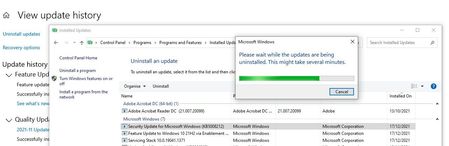
Last update resolved my issues like a month ago