Forum Discussion

Outlook Search not showing Recent Emails (December-2021)
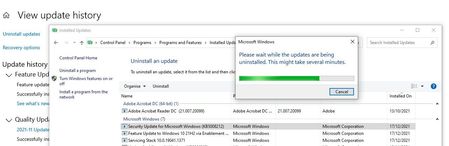

Yes the problem is arising from this update. But I for one cannot offer you a solution because as you can see from this latest fix, you are asked to access gpedit.msc, which however it is not present in Windows 10 home version. It is really incredible, to say the least, that a company such as Microsoft lets out an update that screws up an otherwise working system and then issue a fix that does not work.
I have to say that I have found online a place from where one can download gpedit.msc, see the following https://www.itechtics.com/enable-gpedit-windows-10-home/
However, just like you, I am not an expert IT person either and I so I have not attempted to do anything just in case this process further screw up my computer in an unrecoverable manner.
Ideally, support from Microsoft or an expert member would be extremely welcome.
I have just had a long chat with Microsoft support and they informed me that their engineers are working on a update fix. However, could not tell me how long before the update fix will be ready. They gave me the following temporary self fix to implement myself. I will not implement it for fear of messing about with my pc and so I am happy to wait a little longer. However, if anyone is confident with their abilities, then the following is the self fix that Microsoft has provided me (if anyone try this, please let me know if it has been successful):
In Windows, right-click Start, and then select Run. In the Open: box type regedit, and then click OK. This will open the registry editor.
Find this subkey in the registry and then click it:
HKEY_LOCAL_MACHINE\SOFTWARE\Policies\Microsoft\Windows
Click Edit > New > Key and name the new key Windows Search.
Select the new Windows Search key.
Click Edit > New > DWORD Value.
Type PreventIndexingOutlook for the name of the DWORD, and then press Enter.
Right-click PreventIndexingOutlook, and then click Modify.
In the Value data box, type 1 to enable the registry entry, and then click OK.
Exit Registry Editor, and then restart Outlook.
 Syed_Uzair_AhmedFeb 01, 2022Copper Contributoryes
 JohanCoFeb 01, 2022Brass ContributorThis is just temporarily as all of the mails for today can NOT be searched what a disappointment
- thapashrishFeb 01, 2022Copper ContributorIt is solved after updating windows
 thira7Jan 31, 2022Copper ContributorAs a friend already said, i would like also to be a solution (hope the future fix) for PC's which have Win10 Home (i have two of them in my work)