Forum Discussion

VineeshKV88
Dec 25, 2021Tin Contributor
Outlook Search not showing Recent Emails (December-2021)
Hi All, The outlook search option stopped working properly after WIndows10 update. The issue has happened after installing a security update from Windows (December 14, 2021—KB5008212). I had...
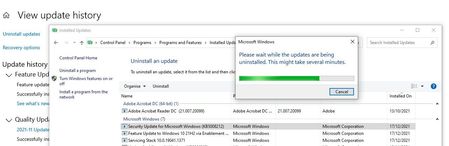

CSteeez0
Jan 21, 2022Copper Contributor
To the right of your search box in Outlook, change the selection from current mailbox to all mailboxes or all outlook items. I believe KB5008212 screwed something up, but this resolved my search issues

PaulBrainard
Jan 22, 2022Copper Contributor
Or Current Folder.. There is a registry key you can add to make one of these the default, HKCU\SOFTWARE\Microsoft\Office\16.0\Outlook\Search\DefaultSearchScope (DWORD) - since setting it in the actual program options doesn't seem to do anything. . .
I think there are a couple of separate issues with search in Outlook, easily confused. One is related to Windows search indexing & the recent updates - recent results are missing. Another is related to Exchange mailboxes & FAST searches, and has been cropping up for years - only recent results are found (or none.) Probably others as well. Search in Windows has always been a mess, especially in Outlook. And like always, redesigning it opened the whole can of worms all over again. . .
I think there are a couple of separate issues with search in Outlook, easily confused. One is related to Windows search indexing & the recent updates - recent results are missing. Another is related to Exchange mailboxes & FAST searches, and has been cropping up for years - only recent results are found (or none.) Probably others as well. Search in Windows has always been a mess, especially in Outlook. And like always, redesigning it opened the whole can of worms all over again. . .