Forum Discussion

Outlook Search not showing Recent Emails (December-2021)
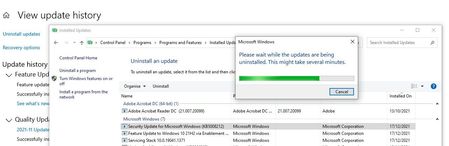

Latest cumulative updated KB5009543, released yesterday, seems to cause the same issue (it probably includes the updates contained in KB5008212). So if you have removed and prevented automatic reinstall of KB5008212, now it will also be necessary to do the same for this KB5009543.
This is becoming more and more annoying...
I have the same problem too. Tried to install Latest cumulative updated KB5009543 of January, but the problem persists.
Obviously, it is no longer even possible to uninstall the December cumulative update now 😞
I also tried the Windows Registry solution, but the searches don't work completely.
We await a possible solution or workaround.
P.S.
I have an Exchange Server 2016 Standard on-premise and by connecting via browser with the OWA the searches work
 mrkclntonJan 12, 2022Copper ContributorMan it seems like the only temporary solution that we have now is that we need to restart the windows search service often whenever the user restarts the PC.
Restarting windows search service will enable outlook to reindex and enable search function.
For the meantime I instructed everyone in my office who's having the same issue to keep their pc open until further updates from microsoft.- Paolo_DelReJan 12, 2022Tin ContributorIt's still possible to uninstall KB5009543 first and, after rebooting, also uninstall KB5008212 if it gets listed in the list of installed updates (whenever you uninstall the most recent update, the previous installed one reaappers in the list). Then you can run MS tool to hide both updates to prevent them from reinstalling automatically.
- mrkclntonJan 12, 2022Copper ContributorThis seems to work! Thanks man! Will try this to other users.