Forum Discussion

VineeshKV88
Dec 25, 2021Tin Contributor
Outlook Search not showing Recent Emails (December-2021)
Hi All, The outlook search option stopped working properly after WIndows10 update. The issue has happened after installing a security update from Windows (December 14, 2021—KB5008212). I had...

LBMalware
Jan 11, 2022Copper Contributor
Hi, I'm just writing this comment to try and help.
In my case I have solved the problem simply by doing a "Rebuild Index" in Outlook.
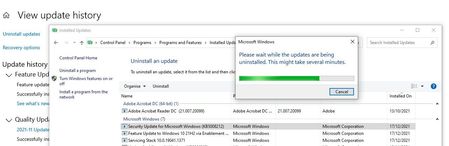
In any case, if the problem is not solved, it would be necessary to simply uninstall the Windows Update for which this error occurs. This update is KB5008212.
Once the previous steps have been carried out, the system should be restarted.
Once this is done, everything should work correctly !
In my case I have solved the problem simply by doing a "Rebuild Index" in Outlook.
In any case, if the problem is not solved, it would be necessary to simply uninstall the Windows Update for which this error occurs. This update is KB5008212.
Once the previous steps have been carried out, the system should be restarted.
Once this is done, everything should work correctly !

thira7
Jan 11, 2022Copper Contributor
I don't know why? But 8 couldn't uninstall this update!
Also, when i did it, i realised that know it got worse the search index unfortunately and it shows me (my work pc, win32 bit, outlook 2007) 2016 emails
I am just waiting
P.S Although some pcs (newer) react a little bit different (better) to the search
Also, when i did it, i realised that know it got worse the search index unfortunately and it shows me (my work pc, win32 bit, outlook 2007) 2016 emails
I am just waiting
P.S Although some pcs (newer) react a little bit different (better) to the search
 pedromarinheiroJan 11, 2022Tin Contributor1. "I don't know why? But 8 couldn't uninstall this update!"
Do not appear listed at Installed Updates?
Try this
https://answers.microsoft.com/en-us/windows/forum/all/uninstall-an-update-that-is-not-listed-in-the/71a01ef1-b0f6-425c-b931-5349466582f0
OR
https://www.windowslatest.com/2021/04/23/how-to-uninstall-windows-10-updates-manually/
To uninstall Windows 10 update using Command Prompt, use these steps:
Open Windows Search.
Type cmd.
Select “Command Prompt” in the results.
Click on Run as an administrator.
Enter the following command after replacing the KB ID:
uninstall: wusa /uninstall /kb:[id]
For example, if you want to remove KB5001330, use the command uninstall: wusa /uninstall /kb:5001330
Type “Y” when asked to restart the PC and finish the uninstallation.
2. How do you realize/measure search index got worse after removing the infamous KB5008212 update ?
It will index the outlook items vs no indexing!