Forum Discussion

VineeshKV88
Dec 25, 2021Tin Contributor
Outlook Search not showing Recent Emails (December-2021)
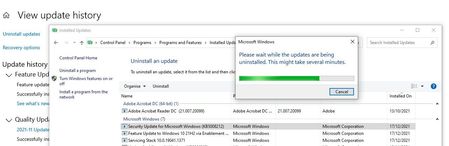
Hi All, The outlook search option stopped working properly after WIndows10 update. The issue has happened after installing a security update from Windows (December 14, 2021—KB5008212). I had...

Ashissk
Jan 03, 2022Copper Contributor
Till Microsoft Fix this issue the below can be work-around for this issue, I have tested this on almost 10 Systems and that's working for me. The issue was the recently received emails are not getting indexed and thats why we are unable to get recent result in search return.
Work around is as follows.
1) Close the Outlook
2) Restart the Windows Search service under services.
3) Open “Indexing Option” you can search In windows for Indexing Option or you can find it under control panel
4) Click on Modify and show all location
5) Under advance Tab click on “troubleshoot and indexing”link that will repair the indexing issue on next screen Select “outlook search doesn’t return the result”.
6)And then Restart the system and check your call recent mails will start getting indexed and you will be able to search the emails.
Work around is as follows.
1) Close the Outlook
2) Restart the Windows Search service under services.
3) Open “Indexing Option” you can search In windows for Indexing Option or you can find it under control panel
4) Click on Modify and show all location
5) Under advance Tab click on “troubleshoot and indexing”link that will repair the indexing issue on next screen Select “outlook search doesn’t return the result”.
6)And then Restart the system and check your call recent mails will start getting indexed and you will be able to search the emails.
 NAumondMar 03, 2022Tin ContributorDo you do this after each reboot?
 sjoy2019Jan 21, 2022Copper Contributorthank you, this worked twice for me already........apparently after every window update (twice now since Dec 2021), i meet with the same problem - unable to search for recent emails in Outlook.
 Adot74Jan 03, 2022Tin ContributorThis is a "classic" workaround.....
You have try to reboot the computer or wait one or two days ? I think the problem persist....