Forum Discussion

Outlook Search not showing Recent Emails (December-2021)

Hi everyone!
I had the same problem as all of you and have been struggling a lot at work due to the high level of emails...the search bar makes it much easier to reply.
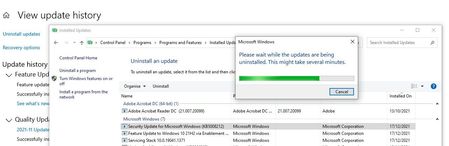
Anyway, I end up not doing any of the recommendations above, purely because today, while I was almost uninstalling the update that caused all of this (KB5008212), I noticed there was a new update (21H1) in line. So I deciced to update first before doing anything else, as this update could bring the fix I need it....and guess what? All problems solved!!! My outlook search bar is perfectly working now. Already restarted my laptopp and so far, no more issues!
Hope this solves your problems too!
 MyasirkhanJan 09, 2022Copper ContributorSolved with the new update. Thank you for your useful information
 mrkclntonJan 10, 2022Copper Contributor
Which update bro? Havent seen it yet. Myasirkhan
- RaintekJan 09, 2022Copper Contributor
Myasirkhan which one? I didn't saw any updates for my Windows or Outlook.
 dhruveeJan 04, 2022Copper Contributor
yes i tried the same .... then rebuild the Index .... that works but when i download my new emails they are not getting Indexed ! cant keep running Rebuild Index again and again ...... it takes almost 12 hours for me fabio_faria
 achirasd026Jan 04, 2022Tin ContributorHi,
I also tried same and seems to be only option is to runing index. Seems to be this update has stoped automatically indexing new emails.
But you do not need to rebuilt it always. There is a simple trick until solution come.
Open Indexing Option. Then Go to Windows/start menu --> type "Services" --> Double Click on Services App-->go to "Windows Search"--> Right Click --> and select restart.
This will not rebuild all index, but start indexing from paused. in seconds after you do this, recents emails will be appear in seach results... paulf992May 23, 2022Copper ContributorThank you, stopping and starting search services brought back my missing search results in seconds. Much easier than previous process of running PST repair tool and reindexing. Wish MS would fix this. I am on W11outlook 2019 ver 2204
 SBCmikeDec 29, 2021Copper Contributor
fabio_faria I just checked for updates and 21H1 didn't even appear. I had just uninstalled 8212 before seeing your post, and that didn't fix things for me. I haven't tried re-indexing yet
- ACOTechDec 29, 2021Copper Contributordidn't fix mine and i re-indexed
- JS452Dec 29, 2021Copper Contributor
Yes, same problem but for Windows 11, Outlook 2019, removing security update KB5008215 got outlook search working again (for now) ....was hoping an update would fix this
- SBCmikeDec 29, 2021Copper ContributorUninstalling 8212 fixed the problem without re-indexing (it just took a little while for it actually happen). I don't see the 21H1 update when I check for updates, but I'm wondering if I will get notified of it without 8212 installed.

