Forum Discussion

SamSPGS
Mar 09, 2022Copper Contributor
Outlook delegate unable to drag-and-drop meetings into different calendar
Hi all, Apologies if the subject line isn't clear, but I'm having issues with a PA's Outlook calendar and I've hit a brick wall. Say I have Jane who is a PA for Alex. Jane is using a Surf...

derricklh96
Feb 14, 2023Copper Contributor
Hello,
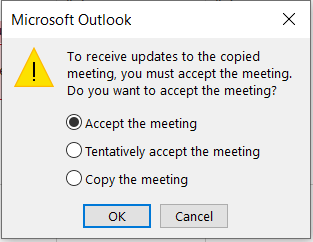
I had a user submit a ticket with the same issue. I did some playing around with some shared calendars on my own Outlook desktop application and was able to get the prompt to re-appear by going into File -> Account Settings -> Account Settings -> Data Files -> Double-Click Data File -> Advanced -> Uncheck "Turn on shared calendar improvements" -> Restart Outlook.
I've yet to try it with the user but will once they are available, please let me know if that fix ends up working.
I had a user submit a ticket with the same issue. I did some playing around with some shared calendars on my own Outlook desktop application and was able to get the prompt to re-appear by going into File -> Account Settings -> Account Settings -> Data Files -> Double-Click Data File -> Advanced -> Uncheck "Turn on shared calendar improvements" -> Restart Outlook.
I've yet to try it with the user but will once they are available, please let me know if that fix ends up working.

jimb0slic3
May 03, 2023Copper Contributor
derricklh96 This fix worked for me with multiple users. We recently removed full mailbox access from PA's so they only have calendar access, and that broke drag and drop for calendar events. Turning off Shared Calendar Improvements and restarting Outlook resolved the issue.