Forum Discussion

"Format picture" has disappeared from Outlook Mac
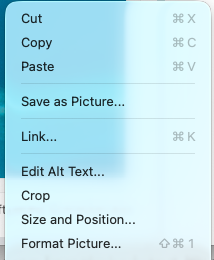

Microsoft seems to have changed or removed some of the image formatting features in the new Outlook interface, and several users have reported the same issue in their forums. There’s no official fix or announcement yet, but it looks like it’s part of the broader UI overhaul Microsoft is rolling out. If you still have a Mac running version 16.84.2, it makes sense to keep automatic updates turned off for now so you can keep using the feature. Unfortunately, rolling back to an older version isn’t officially supported, but some users have managed it by reinstalling from older Office packages. As a temporary workaround, you can add borders or edit screenshots using another app before inserting them into Outlook.
------------------------------------
Don't forget to mark as solution if my answer suits you
 teh_hindenburgNov 14, 2025Copper Contributor
Using another app is a terrible solution when this functionality existed previously.