Forum Discussion

Find Related does NOT work
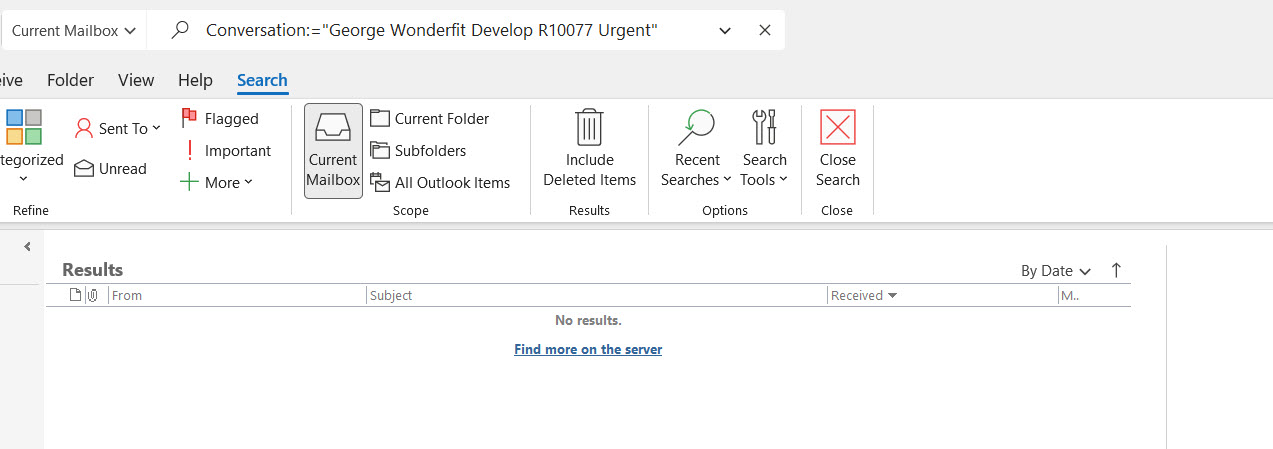


Nice workaround! there are 2 downsides for me:
1. The Show as conversation doesn't show my replies
2. Emails are no longer chronologically sorted
Btw, I cannot install another version since the computer is managed by IT.

Hi Sanda_V,
What version of Outlook are you using? As shown in the image below, the group into conversation feature includes your replies and shows that it is saved in the Sent folder. And all messages are in chronically order.
By the way, I have the latest MS365 version.
If you find this post or other posts I generated, please mark it as the best response or like it, which will assist others with the same question. Thank you in advance.
/Teresa
#traccreations4e
group into conversation #traccreations4e
- Sanda_VOct 23, 2022Copper Contributor
Hi Teresa_Cyrus
Thanks for the detailed answer. I do not have the latest build of Office 365 since updates depend on company policy. It's the build were they deleted the search by conversation.
The messages inside conversation are indeed sorted by date but because of this they are not sorted overall. Sometimes, people alter the subject and those emails will be considered a different conversation.
Even the simple replies aren't shown (with or without ticking the Show messages from other folders).
With search conversation the emails moved to custom folders showed up nicely, the column showing the folder was easy to read, no extra spaces between emails, all info like in a table.
I never liked or used this conversation view because it's adding extra row and indenting the messages. For me, simpler is better: I want to have all emails chronologically and see them grouped only when I search them.
I totally understand that this view is a good workaround for many people but for me it's just too heavy. I don't understand why MS removed a good old feature all together. The principle of "if ain't broken don't fix it" seems unknown to MS 😞
Btw, I did found a solution: I use Search by conversation and them change to Search all items instead of current mailbox. Not to mention that here there is a bug as well: no matter what you select in File> Options> Search as default, only current mailbox is search at first.
 dpaul7Dec 13, 2023Copper ContributorWhy on earth would Microsoft decide to deprecate this feature? What could the possible reason be? A wonderful feature they just decide to take away. Who is in charge over there? How is it they make their software worse to use when they make so called upgrades. Just unbelievable. This will fall on deaf ears. Very strange.