Forum Discussion

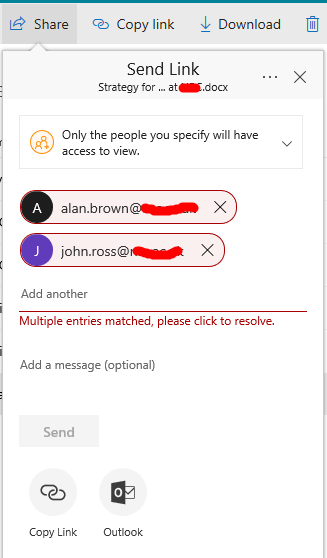
Multiple entries matched, please click to resolve
 DeletedNov 21, 2017
Have you ever shared anything with these users before?
If you go to following page :
Go to your onedrive for business site:
Site Settings > People & Groups
Edit the URL and change the "MembershipGroupId=<nn>" to "MembershipGroupId=0"
Do you see any of the 2 users?

Both accounts shown are in error. Both were typed in manually, in full -ie any autocomplete was ignored
No alternate addresses defined and indeed I'm not sure where you'd define these.
I'm pretty sure I can get around this issues by pre-creating the accounts in Azure AD but obviously that's not always desirable.
Have you ever shared anything with these users before?
If you go to following page :
Go to your onedrive for business site:
Site Settings > People & Groups
Edit the URL and change the "MembershipGroupId=<nn>" to "MembershipGroupId=0"
Do you see any of the 2 users?
- Ian MoranNov 21, 2017Steel Contributor
Bingo ! The users were indeed listed, removed them, and sharing worked. What's actually going on here ? Thanks for your help