Forum Discussion

ShadowMarter
Mar 25, 2026Copper Contributor
Files not accessible on OneDrive app
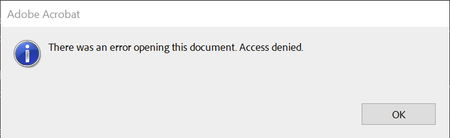
My files are not corrupted - if I download them form browser site of onedrive, they can be opened without issues. Nevertheless, my pc folder synced by the OneDrive app, which worked fine until today,...

virendrak
Apr 12, 2026Steel Contributor
Sounds like your files are fine in OneDrive, but something broke in the sync on your PC.
Quick thing that usually fixes it:
Close OneDrive (right-click >Quit)
Press Win + R and run:
%localappdata%\Microsoft\OneDrive\onedrive.exe /reset
Start OneDrive again
After that, right-click one of the PDFs and choose “Always keep on this device.”
This usually clears the “access denied” issue.