Forum Discussion

Double istances of the app
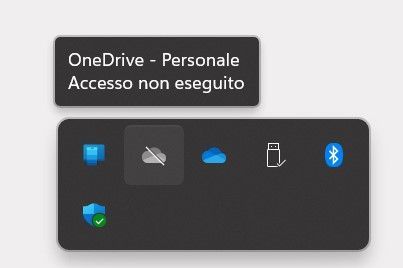

Hi Pietro1977,
thanks fot the update.
I'm really sorry to hear that none of the solutions have worked for you. I would recommend that you contact Microsoft support for further assistance.
Here are a few things you can mention to Microsoft support when you contact them:
- You have tried all of the troubleshooting steps listed above.
- OneDrive is not working at all, or it is only working partially.
- You are running the latest version of Windows 11 and OneDrive.
- You have all of the latest updates installed for Windows 11 and OneDrive.
- You have tried running OneDrive as an administrator.
- You have tried disabling all other startup programs.
Microsoft support may be able to help you troubleshoot the issue further.
Please click Mark as Best Response & Like if my post helped you to solve your issue.
This will help others to find the correct solution easily. It also closes the item.
If the post was useful in other ways, please consider giving it Like.
Kindest regards,
Leon Pavesic

LeonPavesic I think it was due to the fact that my windows user was an online microsoft user and not a local user. So Windows took it for granted that I also wanted to log in with that account, while I was only interested in logging in with the company account. I solved it by creating a local user.
- Pietro1977Oct 03, 2023Copper ContributorDoh! even ifif the windows user was local, logging in to sync the profile, restored the problem. Now I went to settings\account\email and account\manage account and i removed the personal microsoft account. I'm going to restart...tell me "good luck!" 😄