Forum Discussion

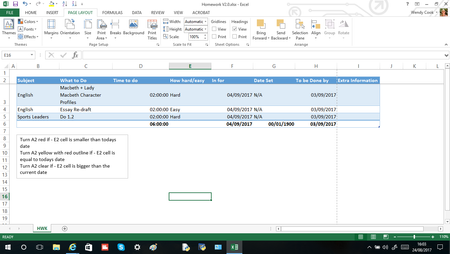
How do I make excel change the colour of a cell depending on a different cells date?
- Nov 21, 2022
Let's say you want to highlight a row if column F contains "Closed".
Use the formula
=$F2="Closed"
If you want something different, please provide more detailed information.

Let's say you want to highlight a row if column F contains "Closed".
Use the formula
=$F2="Closed"
If you want something different, please provide more detailed information.

I would like to know how to highlight any of the rows in column I with a colour based on whether Yes or no Have been entered into the sections highlighted
IE - if D2 has 'Yes' entered then I2 would turn Green
- HansVogelaarJan 23, 2024MVP
Select I2:I8 (or further down if you like).
I2 should be the active cell in the selection.
On the Home tab of the ribbon, click Conditional Formatting > New Rule...
Select 'Use a formula to determine which cells to format'.
Enter the formula=$D2="Yes"
Click Format...
Activate the Fill tab.
Select green as highlight color.
Click OK, then click OK again.