Forum Discussion

Amardeep1001
Sep 18, 2019Copper Contributor
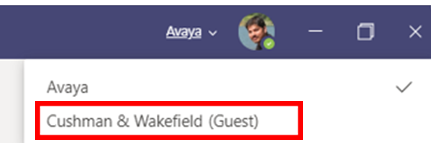
Wish To Remove guest account from MS teams desktop App
How i can remove guest account from MS teams desktop App

myspacebarisbroken
Jan 20, 2021Tin Contributor
- Go to https://myapps.microsoft.com/
- Click on the Name icon on Top-right, then click on the 3 dots and click on Leave new experience.
- On the reloaded to page, click on the Picture or icon and then click the Cog.
- Click on Leave Organization next to the one that's listed as Guest in Teams.

TieredOFguestInTeams
Jun 26, 2023Copper Contributor
I did leave the organisation but the guest is still shown by my teams.
It is infuriating. I wish it is removed completely.
Please, could you give me any advice how to remove it permanently.
 danzuepSep 28, 2023Copper ContributorI have the same issue as well. I can't remove myself as a "Guest" of an organisation I don't have access to any more. Even worse is on my phone it seems to trigger multiple 2FA checks, after accepting the popup in Authenticator 2-4 times it finally lets me sign in.
- andreaalbanoJan 24, 2024Copper Contributor
I have the same issue:
wish to remove from Teams an account that has been disabled.Online I can access this page
If I press Leave it carry me to a mfa page
But probably that is not even a phone number because no one has set it.
It's very annoying, hope that someone will fix this.- mpgioiaFeb 14, 2024Copper ContributorWhat about removing an org from an email address that someone has added that doesn't have a backend Microsoft Account.. like a gsuite account.. I can't even login to https://myaccount.microsoft.com/organizations to leave .. unless you have a valid O365 account.. right ?
I got added as external/guest with a gsuite email which worked to login to Teams app.. but I have a stuck org under said email/account .. and can't leave.


