Forum Discussion

SamJacobs
Sep 26, 2019Copper Contributor
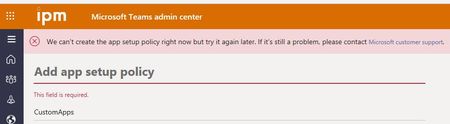
We can't create the app setup policy right now but try it again later.
I'm trying to test out a sample bot, and want to sideload the app, so I'm trying to create an app setup policy that will allow the upload of custom apps. When I try to save the policy, I receive the ...

SamJacobs
Sep 27, 2019Copper Contributor
VasilMichev Will do, and will respond back.

Matthew Carter
Apr 07, 2021Iron Contributor
We can't save the app permission policy right now. Please try again. If you continue to have problems, contact Microsoft Support
I am getting this error at this location - https://admin.teams.microsoft.com/policies/app-permission/edit/R2xvYmFs
Did you ever get an answer from Microsoft?
I am trying to allow Custom Apps as "I" have to make the Viva Connections app instead of Microsoft doing it! How frustrating.
I am getting this error at this location - https://admin.teams.microsoft.com/policies/app-permission/edit/R2xvYmFs
Did you ever get an answer from Microsoft?
I am trying to allow Custom Apps as "I" have to make the Viva Connections app instead of Microsoft doing it! How frustrating.
 Stijn_HaelewyckApr 28, 2021Copper Contributor
Matthew Carter Exactly the same here. The most frustrating part is that I managed to save the set-up policy correctly once to push the app, but I then re-uploaded the app with some icon changes later to no avail.
 DUTCSmithApr 28, 2021Copper Contributor
Stijn_Haelewyck Ours just finally started working after 48 hours, so it's docked properly now.
 wassilafekkarJul 14, 2021Copper Contributor
DUTCSmith how you could solve this problem please
- Matthew CarterApr 28, 2021Iron ContributorI recreated the app and wonder if that might be a possibility, to see if something with the app itself, maybe no graphics or no issues with or like adding agreements, etc.
- StefanHefeleApr 19, 2021Tin Contributor
Exact same issue here. I followed the steps at
Uploading the App works, but saving (any) App setup policy does not.
I looked up the error by using F12, error messages range from "Invalid App ID" (HTTP error 400, received several times), to "Invalid input parameters 'identity' is a required property", to simply "Bad request"....
Very strange.
- DUTCSmithApr 24, 2021Copper Contributor
StefanHefele I have the same, did it ever resolve for you? over 24 hours now of receiving this message
- StefanHefeleApr 24, 2021Tin Contributor
DUTCSmith, no, I gave up, as I was only preparing a short demo for a customer. I just added the app with my demo user (upload worked, just not the pinning) and pinned it to the top with that same user.
 Sam_JacobsApr 07, 2021Copper Contributor
Sorry. Management changed my priorities after I had posted my question, and I never had a chance to follow through with a support case.
