Forum Discussion

hekmaha2021
Dec 13, 2021Copper Contributor
Unable to access Secure Files in Teams page
Hi, Our school uses Teams. There's a team for one of the faculties and they have a Secure Files tab on there, new members are not able to access this Secure Files tab, the error is as in the att...
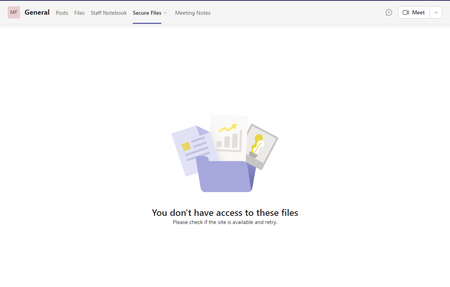

hekmaha2021
Dec 14, 2021Copper Contributor
I did look at SharePoint admin, added those 2 new users as members of the sharepoint site however, when I go to that tab in Team i still get a "you have no access to these files" message.. not sure what's wrong here now..

Dec 14, 2021
What if you go directly to SharePoint not via Teams tab? Same behavior if using Teams on the web? Try signing out manually from top right corner in Teams too. Is there anything special with that site/added tab? (sensitivity labels for ex).
- hekmaha2021Dec 14, 2021Copper ContributorWell, I went to the Sharepoint site for that Group/Team directly but can't find the Secure files folder on there.
I assume it has files relevant to the department. One of the Group owners told me that one of the teachers can't view that tab. I assumed the others are able to.
Added my username as a member to the group, I couldn't view that tab either. So I recreated the issue and all settings I adjusted for my username I also adjust for the affected teacher.
Tried Teams for Desktop, Teams on the web, same issue.
I can access the sharepoint site just fine, I just can't access that tab.
And I can't find that tab with the same or similar label in sharepoint.
I have yet to view what the tab looks like on a non-affected user. Will probably be in the new year as most of them have gone for holidays now.- Dec 14, 2021Sounds to me you need to re-create the tab with a new SharePoint link pointing to the files section of that site. Current link/tab obviously points to nothing…