Forum Discussion

Vinita VERMA
Jul 18, 2019Brass Contributor
Teams App Error (Not able to view Planner within App)
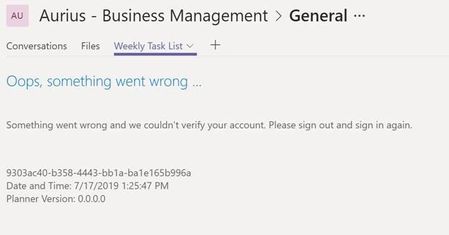
A Teams Member is getting the following error message on the Planner tab. Already cleared the Teams Cache and signed in again but the issue is not resolved. Teams

Jul 19, 2019
Strange! I thought I answered you his yesterday!
As said, try to see if the planner can be accessed directly via the link provided! But planner permission is based whether the user is member of the group (team) or not!
If so, try to remove the user from Teams/ planner plan and readd her/him
As said, try to see if the planner can be accessed directly via the link provided! But planner permission is based whether the user is member of the group (team) or not!
If so, try to remove the user from Teams/ planner plan and readd her/him

Jul 20, 2019
Hi adam deltinger, sure, I'd also do this and try to remove and re-add the planner tab with the planner tasks.