Forum Discussion

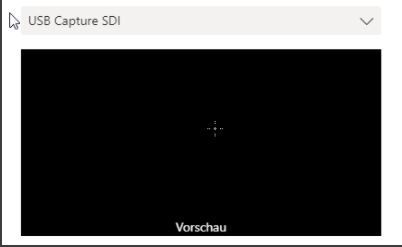
Teams app does not recognise the camera -> preview image is black
 Dec 23, 2020
Summary of my research:
According to my intensive research and search on the Internet (Microsoft Community), this is an interaction between Teams and Windows 10 and Camera.I was also able to recreate it on my computer (similar configuration). To me it looks as if with the virtual camera it means
(BoardRoom attachment), it thinks it is in use. That explains the black screen.In many posts I have read, many people write that they have the same problem. It has to do with the Windows version and the
team version to the type of camera connection.Since the camera works everywhere in the installed applications (Zoom, Windows App, Control in Windows 10 under Transmission), we have to wait for an update in Teams or Windows 10.
I'll stay on the ticket.
Summary of my research:
According to my intensive research and search on the Internet (Microsoft Community), this is an interaction between Teams and Windows 10 and Camera.
I was also able to recreate it on my computer (similar configuration). To me it looks as if with the virtual camera it means
(BoardRoom attachment), it thinks it is in use. That explains the black screen.
In many posts I have read, many people write that they have the same problem. It has to do with the Windows version and the
team version to the type of camera connection.
Since the camera works everywhere in the installed applications (Zoom, Windows App, Control in Windows 10 under Transmission), we have to wait for an update in Teams or Windows 10.
I'll stay on the ticket.
I have just installed an update from Teams. Unfortunately, no improvement yet.
I will keep you informed.
 HDiepstraten_MLCFeb 04, 2021Copper Contributor
- mrfixit0Sep 01, 2021Copper Contributor
I have been having the same issue with Teams properly working with the Camera. The camera works fine in Zoom. I have a second camera that also works with Zoom. On teams both camera preview in Devices is blank. I did have it working for a short time after completely uninstalling Teams, then cleaning %appdata
Going to try that route again. Quite frustrating.
- mrfixit0Sep 01, 2021Copper Contributor