Forum Discussion

MS Teams on Linux Still Telling Me Not Open to Public

jmadero have you tried deploying the public preview .deb / .rpm files?
https://aka.ms/get-teams-linux
 rsindlingerApr 16, 2020Copper Contributor
I am having the same problem, running under Centos 7.
I had originally installed teams-1.3.00.958-1.x86_64.rpm on March 18.
I have downloaded the current latest, teams-1.3.00.5153-1.x86_64.rpm, but YUM claims it's not an update:
sudo yum install usr/src/teams-1.3.00.5153-1.x86_64.rpm
[sudo] password for rsindlin:
Loaded plugins: auto-update-debuginfo, fastestmirror, langpacks
Examining usr/src/teams-1.3.00.5153-1.x86_64.rpm: teams-1.3.00.5153-1.x86_64
usr/src/teams-1.3.00.5153-1.x86_64.rpm: does not update installed package.
Error: Nothing to doBack in November, I saw that Teams was not supported for Centos 7, but more recent announcements have not included that caveat.
 jmaderoApr 17, 2020Tin Contributor
I did a complete uninstall and a reinstall with a new download from here: https://products.office.com/en-us/microsoft-teams/download-app#desktopAppDownloadregion
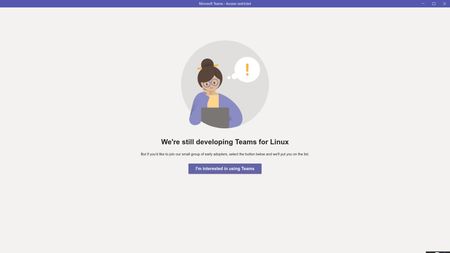
got back to the "we're still still developing Teams for Linux" - this is from the debian package.....
Microsoft should just open source this application so the Linux community can fix these problems....
- jmaderoApr 17, 2020Tin Contributor
Update: Installing teams-insider package from the Ubuntu repository works.....so the Ubuntu repo says the same version as the debian package download from the previous link I posted yet they behave differently...
- jmaderoApr 08, 2020Tin Contributor
KevinCallanan I purged everything and then downloaded the debian and installed. Same error
- KevinCallananApr 08, 2020Brass Contributor
jmadero I don't have a Linux VM currently to test but it looks like based on the UserVoice Teams on Linux is officially supported now and was released mid-February:
https://docs.microsoft.com/en-us/microsoftteams/get-clients#linux
As an alternative (not ideal) the Teams Web Client is fully functional: https://go.microsoft.com/fwlink/?linkid=855753