Forum Discussion

Disabled teams account can still log in
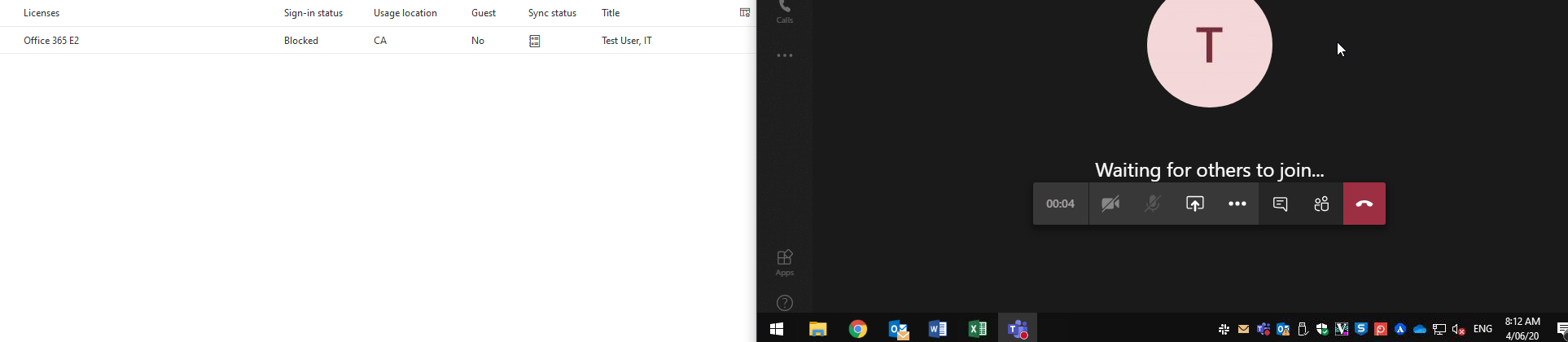
 Apr 06, 2020
looks like i was able to block the attempt after some time now with the following command:
Revoke-AzureADUserAllRefreshToken -ObjectId user@domain.ca
ref: https://www.petri.com/blocking-access-office-365-user
of course you have to connect to azure first with powershell.
Install-Module AzureAD -Force
Import-Module AzureAD
Connect-AzureAD

Disabling a user doesn't immediately terminate access, this has been discussed in numerous threads/blog posts which you can look up for additional details. TL;DR version is that users will have access until the tokens expire, and if you want to speed things up a bit you can revoke tokens via the O365 admin portal or the Revoke-AzureADUserAllRefreshToken cmdlet.
- windows2000Apr 06, 2020Brass Contributor
VasilMichevIf it was in "numerous threads" i would have found it this morning easily by searching. There was nothing specific to teams. Even this command I found is for azure AD. I would think office 365 would behave better. A blocked user is a blocked user and therefor should force a disconnect at that time. Stupid that i have to run manual commands.