Forum Discussion

elaheh
Jun 08, 2020Brass Contributor
can't get the activity log on teams
Hi, I have 'global administrator' right, but suddenly I loosed my connection to Teams admin center. After two days attempt still i'm getting this error: 'We can't get the activity log. Please try ...
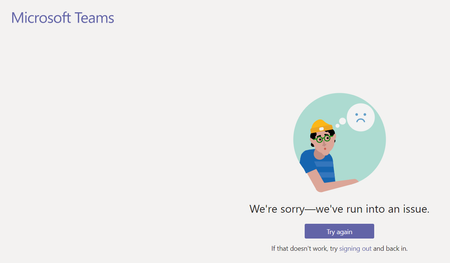
- Jun 08, 2020
Hi, I'd suggest that you open a ticket directly with Microsoft support. You can do this from within your tenant from the Admin Center at https://admin.microsoft.com and navigating to Support > New Service Request as shown below;


elaheh
Jun 29, 2020Brass Contributor
Thanks Carey Knighton-Fitt
Yes, the problem was is Chrome. It works with the other browsers.
even when I open new incognito window I get the same result. Any idea if i re-install chrome it will fix?

Carey Knighton-Fitt
Jun 30, 2020Tin Contributor
Not as far as I know. A colleague has the same issues in Firefox. I have an open case with MS regarding this. MS currently struggling to understand its not related to user licensing.
As far as I can see it only relates to some tenants?
I was informed later today that it was now working in Firefox. So maybe there has been a miraculous change in the past couple of hours. Not had a chance to test yet.
Update. Still not working in chrome. MS support still unable to find solution
As far as I can see it only relates to some tenants?
I was informed later today that it was now working in Firefox. So maybe there has been a miraculous change in the past couple of hours. Not had a chance to test yet.
Update. Still not working in chrome. MS support still unable to find solution
 Alastair SheppardAug 03, 2020Copper Contributor
Carey Knighton-Fitt I had the same error, Chrome was blocking cookies from other sites when I was using it in Incognito Mode. I allowed third party cookies and the error message has gone away and I can see our rooms again.