Forum Discussion

Unifying Data Loss Prevention in Office 365

An independent take on the topic...
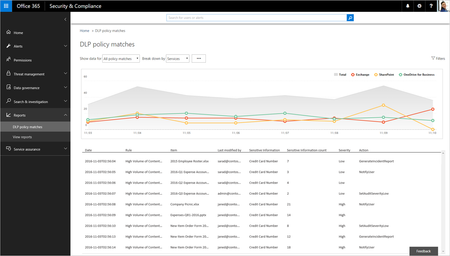
You might be familiar with the DLP policies available in Exchange or SharePoint. These policies work, but they are workload-specific. Microsoft has embarked on a journey to replace them with Unified DLP policies, which provide protection across multiple Office 365 workloads. The new policies are not yet as functional as those available for Exchange, but they will get there. https://www.petri.com/unifying-data-loss-prevention-across-office-365
 EmyLoanzonJan 23, 2017Iron Contributor
We are investigating setting up the SharePoint eDiscovery center. With this Unified DLP feature coming up, does it still make sense to setup the SharePoint eDiscovery center?
I am reading about it and comparing it with what can be done with the current Content search that can be done with the Office 365 Compliance and Security Center. I do not see the difference between the 2 eDiscovery services. Looks like the Content search in the Office 365 Compliance and Security Center (which covers SPO document searches) does the same function as the SharePoint eDiscovery center.
Any thoughts on this?
Thank you.
- TonyRedmondJan 23, 2017MVP
My general advice is to use Office 365 functionality whenever possible, so I would definitely use functionality exposed through the Security and Compliance Center instead of anything exposed in an application-specific admin console, like the SharePoint eDiscovery you are considering. At this point, my view is that the application-specific functionality only exists for backwards compatibility with the on-premises applications. All the action is centered on what appears in the Security and Compliance Center.
- EmyLoanzonJan 23, 2017Iron Contributor
Good comment. Thanks, Tony!
- Lana O'BrienJan 10, 2017Former Employee
Thank you Tony!
