Forum Discussion

How can I re-label large amount of data on SharePoint with MIP sensitivity label?

Hi Aexlz,
Thanks for the hints, I did a policy to test the function. Here I see some issues.
1. It doesn't allowed to give detail role and users/groups for "User Defined" label when I choose it in the policy.
2. And the test doesn't really work in my test, although I received the message says the policy macthed and label assigned, however it is not assigned in real world, don't know where could be the problem.
In the policy, I choose the parent folder "service 2" where I want to apply same label to all files in that folder. Since I don't need to inspect file to decide the labeling, so I choose "None" for "Inspection method". In "Governance" for SharePoint Online, (the folder is on SharePoint Online), choose the sensitivity label and select "User Defined" label which is published already. Here I see the 1st issue that no place I can give role and user/group info like what I can see from UL Client
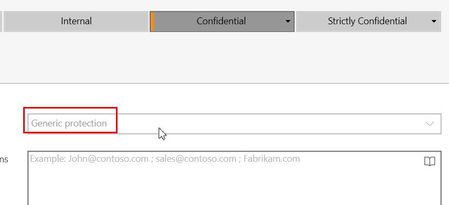
What I can see and configure from Ul Client
Anyway, I created the policy and start the test. The test is to create or copy new files to the target folder, I learned it will not label existing files if the inspection is not enabled like in my policy setting.
I received message from "Microsoft Cloud App security" that the there is items matched policy, but when I double check the file, the given label is not assigned actually. For example the following new Excel file, it still shows default "Internal" label after I received the message.
I am not sure if the "Inspect protected files" permission must be granted in "setting" of Defender for Cloud Apps. I guess not for this test case, as "Internal" label doesn't configured with any protection or encryption behind.
surely MCAS lacks features from the UL-Client. I just hoped it could workaround your problem.
However: How much time did you pass by after you set up the policy?
I experienced MCAS taking a loooooong time crawling through all the files and do its job. As an example:
Recently I wanted to find all Non-Office-Files from SPO-/OneDrive without any label. This took around 2-3 weeks - not kidding.
- ShanCSCJun 28, 2022Tin ContributorSurely, sometime it takes unbelieve long time to have the result confirmed. While I received the message 10-15 minutes after i upload a new file. It is quick however the work seems not done well as expected ;-( But yap, I will take look the rest of days to see if magic happens.
But your tips do helps, I am now also look into this feature from Defender for Cloud App and see what else it can help in regarding automation.