Forum Discussion

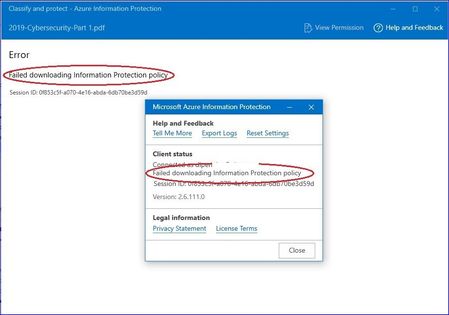
Failed Downloading Information Protection Policy

OK, all good there then. Do you have everything setup as per https://docs.microsoft.com/en-us/azure/information-protection/requirements#firewalls-and-network-infrastructure for firewall config and IP addresses etc?

PeterRising Hi Peter, I am facing the same issue. I cant download the labels in my client machine. I have done process same as mentioned here https://docs.microsoft.com/en-us/azure/information-protection/requirements#firewalls-and-network-infrastructure
I can see the labels in online outlook.office.com (webmail) but not in the office application.
Please help.
Thanks,
Shreya
 2hawk7Sep 16, 2020Copper Contributor
Try uninstall your AIP UL client. Once uninstalled, open your office apps. and check if labels are populated or not. If you see labels, then AIP UL client is the problem. I fixed similar issue by this method. You can install latest UL client once issue is fixed in native client.
- PeterRisingJul 14, 2020MVP
Hi Shreya. Are you signed into Office as the user who the label policy is targeted to? This is an important step.
- Shreya_sinhaJul 14, 2020Copper Contributor
PeterRising Yes i have logged in with my official email id for which labels policy are been targeted.
No one in my organization is able to see the labels. All can see the labels in webmail and in webmail it is working perfectly fine.
- PeterRisingJul 14, 2020MVP
OK, and do you have the Azure Information Protection Client installed to your computer please? You can check this in Control Panel > Programs and Features.
