Forum Discussion

WIN32 App Install error 0x80070002
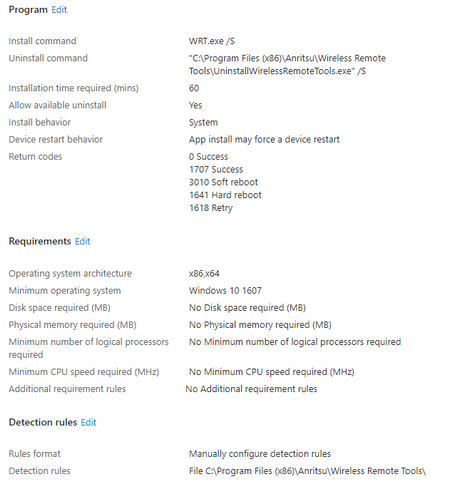


It is certainly an older application. On my local machine, /S works to install it. Will try -s.
Edit: -s does not work on local machine.
- Oct 09, 2023Than /S should work fine with intune now
- Pogo947Oct 09, 2023Copper ContributorUnfortunately this results in the error given previously "file could not be found". Any other guesses or recommendations?
- Oct 09, 2023
Pogo947 so you have an application placed in a folder called WRT, inside this folder you have all the setup files required along with the exe. you run the win32 app tool and you specify the source folder which is for example C:\WRT and you define WRT.exe as the setup file and the target folder as the output of the .wim file for example c:\output
now before packaging the file open a cmd a file and navigate the exe location, for example cd C:\WRT and click on tab button to reach the exe and check if the cmd will read the exe file as WRT.exe or "WRT.exe". upload the app and define the command as stated in the cmd with the argument /S
if its failed try to upload the app but change the install the behavior to User instead of system