Forum Discussion

EntilZha
Jun 24, 2021Iron Contributor
Unable to login into Win 10 Azure AD joined device after a PW Change
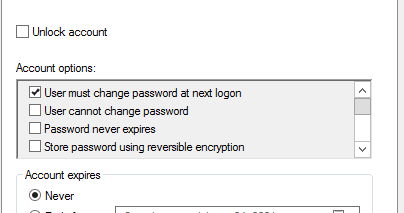
Issue: Users unable to login into windows 10 azure ad joined device if the On Premises Active Directory option "User must change password at next login" is checked. When user logs into Azure AD Joi...

Berri1015
Oct 21, 2022Copper Contributor
Larry Jones
Hello Larry,
Were you able to solve your problem? If so what solution did you use.
I am having almost the same problem.
We have 200 users with computers in azure joined. Self-service password is enabled.
 Azure AD Connet is also used.
When the user's password expires when they change the password from
self-service password, the change is OK but the computer does not take
the new password into account.
He is forced to authenticate with the old password to log on to his computer
 while Office 365 applications authenticate with the new password.
We looked at the log files, we don't see any errors.

EntilZha
Oct 26, 2022Iron Contributor
Here's the article the resolved my issues.
Set-ADSyncAADCompanyFeature -ForcePasswordChangeOnLogOn $true <------ This fix the issue when the box is checked change password at next login in AD
https://learn.microsoft.com/en-us/azure/active-directory/hybrid/how-to-connect-password-hash-synchronization
Set-ADSyncAADCompanyFeature -ForcePasswordChangeOnLogOn $true <------ This fix the issue when the box is checked change password at next login in AD
https://learn.microsoft.com/en-us/azure/active-directory/hybrid/how-to-connect-password-hash-synchronization
 Brian BagleyDec 05, 2024Copper Contributor
I've just hit this issue myself, and I've verified that ForcePasswordChangeOnLogOn is set to true. We've been pushing to Entra ID join and moving away from Hybrid. Not sure where to look after this.
PS C:\Windows\system32> Get-ADSyncAADCompanyFeature
PasswordHashSync : True
ForcePasswordChangeOnLogOn : True
UserWriteback : False
DeviceWriteback : True
UnifiedGroupWriteback : True
GroupWritebackV2 : False