Forum Discussion

JimmyWork
Feb 23, 2023Iron Contributor
Android Edge (Auto populate account sign-in)
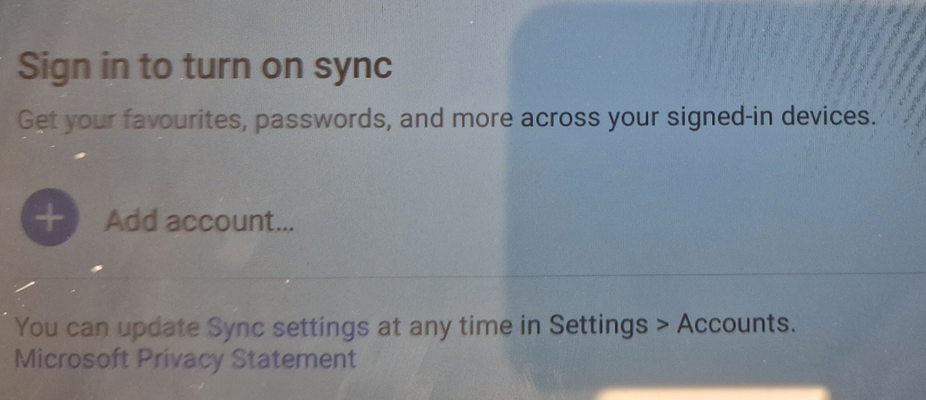
Android - Azure AD Multi App Kiosk Device Sorry for the bad image quality (policy not allowing screenshots) Trying to configure so Edge auto-populates the account with the current logged in user...

Chuck1234
Apr 04, 2023Copper Contributor
Thanks, would be interesting to see your configs. I pushed an app config for Edge via managed app and via managed devices and not getting Edge to respect SSO. It's just me it's also just Edge--everything else that's set up for SSO has no issue.
Time to factory reset and try again.
Time to factory reset and try again.

JimmyWork
Apr 04, 2023Iron Contributor
I have not included all settings like what apps are installed in the KIOSK screen etc.
Azure AD Shared Device - Multi App KIOSK
Device Configuration - Assigned to devices.
App Configuration policy - Managed Home Screen
Apps installed
OneDrive
Teams
Edge
---------------------
I do have a managed app config, but this only sets Edge startpage etc and does not need to be applied for this to work.
 DerBringeApr 23, 2024Copper ContributorNow the same problem arise again!?
We assign Edge (Stabile version) to our dedicated android devices with Azure AD.
Yesterday version 124.0.2478.50 (247805005) of Edge AI Browser was starting to install on our devices and we ran in to a problem instantly. The app shows a screen saying "Sign in to sync" and Add account. Normally edge should just automatically sign in to the signed in users account (SSO). Pressing the "Add account" button results in that the app is just "thinking" spinning blue circle and nothing more happens.
The most strange thing is that the official version according to Google Play and Microsofts release notes is 123.0.2420.102 (242010205). And if you Google "124.0.2478.50 (247805005)" you get information about Edge BETA, which we dont have assigned to our devices.
How can ver 124.0.2478.50 (247805005) be installed on our devices in the first place?
Testing the exact same thing in our QA tenant, we just see ver 123.0.2420.102 (242010205)
The current version (Stable) 123.0.2420.102 (242010205) auto signs in the user into Edge when using Sessions on Azure AD Shared Devices. However we got the Beta? 124.0.2478.50 (247805005) instead of the stable version so it will break the feature auto sign in the user into Edge when using Sessions on Azure AD Shared Devices with Microsoft MHS
Clearing app cache does not help by the way
Anyone experiencing this? Any ideas why?