Forum Discussion

Intune Install Printer Driver
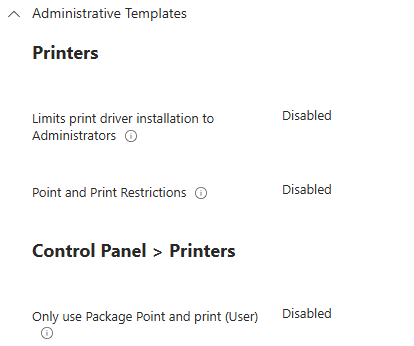

According to:
https://learn.microsoft.com/en-us/troubleshoot/windows-server/printing/event-ids-associated-point-print-restrictions
Those errors are related to point-and-print.
Log Name: Microsoft-Windows-PrintService/Admin
Source: Microsoft-Windows-PrintService
Event ID: 215
Description:
Installing printer driver <DriverName> failed, error code 0x23f, HRESULT 0x8007023f. See the event user data for context information.
I deploy a printer via Intune using Powershell. I had similar issues years ago. I had to add some code to determine if the architecture was 32-bit or 64-bit as the Intune Management Extension runs 32-bit regardless of which slider was selected on the script in Intune (Run as 64-bit). This was true at that time. It then called the correct version of pnputil (x86 or x64) based on that.
# Check if the powershell environment is 32-bit or 64-bit and adjusts the path to pnputil.exe accordingly
if($env:PROCESSOR_ARCHITECTURE -eq "X86"){
    $Installer += "\sysnative\pnputil.exe"
    Write-Information "The Powershell process being run is: 32-bit"
    }
    else {
        $Installer += "\System32\pnputil.exe"
        Write-Information "The Powershell process being run is: 64-bit"
    }
$params = @("/add-driver","`"$INFCache`"","/subdirs","/install")
start-process $Installer -ArgumentList $params -wait -WindowStyle Hidden
Add-PrinterDriver -Name $driver
Add-PrinterPort -Name $port -PrinterHostAddress $address
Add-Printer -DriverName $driver -Name $name -PortName $port
Here are the two articles that helped me then:
WOW64:
https://docs.microsoft.com/en-us/windows/win32/winprog64/wow64-implementation-details
Blog post:
https://www.petervanderwoude.nl/post/using-the-intune-management-extension-on-a-64-bit-platform-for-a-very-happy-new-year/
I hope that helps. Maybe things have changed since then but, this logic still works for me today. Good luck!