Forum Discussion

Conditional Access Policy compliant devices on Android devices
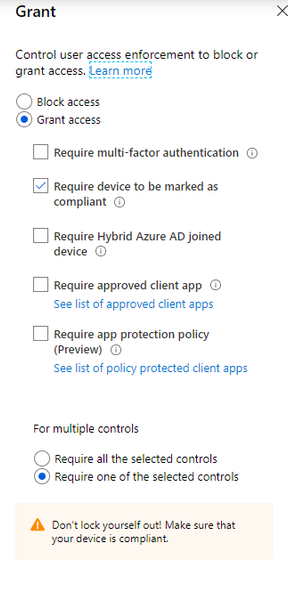

marcosiefert You might get some info when you have a look in Azure AD at the Sign-ins. If you have a look at the client app which is used, you should be able to see if Gmail is a legacy auth app. Only browser and Mobile apps and desktop is modern, all others are legacy.

Please excuse the late reply.
I checked it in Azure at the sign-ins.
Gmail is shown as "Mobile Apps and Desktop clients", so it should work.
When Gmail connects to Exchange Online, a Modern Authentication login mask is shown. Multi-factor authentication also shows up, but after confirmation the login process stops with the message that the device is not registered, although it is registered. The problem doesn't occur with any other app, just Gmail.
Seems to be a bug, doesn't it?
 Online Ronald FoppenNov 26, 2020Copper Contributor
marcosiefert Bit of a longshot on this older thread, but did you manage to get this resolved? I am running into exactly the same issue.
Android device is marked a compliant but the config process does not seem to honor it.- marcosiefertNov 26, 2020Copper Contributor
no, unfortunately I never could solve that.
I had opened two cases with Microsoft Support.
The first support agent claimed that we had set up our Intune environment completely wrong. That answer was total nonsense.
In the second case, the support agent was more helpful and even escalated the ticket. A lot of analysis has been done, but the problem could not be solved. The final answer was this:
... GMAIL application is unable to pass the device information for the exchange account added to it so that is the only reason its unable to satisfy the Conditional Access Policy ...
So it looks like it is a bug in the Gmail app.However, since we want to use the native Android calendar and contacts apps, we cannot switch to the Outlook app, but still have to push the Exchange profile via Intune. If I'm not mistaken, you need the Gmail app for the final setup on the smartphone.
As a workaround we have now changed the conditional access policy. I removed "Office 365 Exchange Online" from the selected cloud apps to which the policy is applied. However, it is applied to "Office 365 SharePoint Online" and "Microsoft Teams".
Since all users also want to use Microsoft Teams on their smartphones, they are forced to register their device in Intune and thus the goal of the policy has been achieved.
- PKlapwijkJul 31, 2020MVPYou could use the What if function of Conditional Acces to see which policies are active. Maybe you missed one with a setting which requires an approved app.
- Thijs LecomteJul 30, 2020Bronze ContributorDo you have any app protection policies applied? that includes Outlook? Or a CA that requires a approved app?
