Forum Discussion

App Configuration in JSON Format
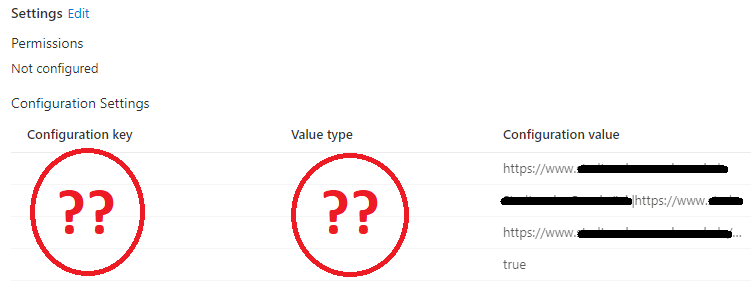


Hi Rudy,
yes, with Chrome everyhting went well... 😄 What a mess.
I've opened up a ticket at MSFT. It simply have to be possible to use the MS Browser instead of a 3rd Party one.
I'll keep you updated, if there's anything new.
- PatrickF11Oct 12, 2022MCT
Hi Bodo_Borchers ,
unfortunately not. Whenever we need a complete, configured browser, e.g. on KIOSK devices, we use the Chrome Browser. (Otherwise we prefer the Edge without pre-configuration.  Bodo_BorchersOct 12, 2022Copper Contributor
Hi Patrick,
were there any updates regarding your ticket? We are currently facing the same problem with Edge and this topic here is alreay over 1 year old. But same problems you already mentioned and strange behavior when switching between JSON Format and User configuration manager.
Best regards,
Bodo
 agima1978May 01, 2021Copper ContributorEdge on Android is far behind. Microsoft future vision and the current edge (canary) beta for Android will change and improve a lot of issues we currently have on Android.
Watch this video to see thr future of edge on mobile.
https://youtu.be/p2Ya2cfGDVI- PatrickF11Apr 30, 2021MCTBy the way: is it even possible to use the managed app config on enrolled devices?
Seems like not as outlined here:
https://docs.microsoft.com/en-us/mem/intune/apps/app-configuration-policies-overview#managed-apps - PatrickF11Apr 30, 2021MCTFor managed app there is a user context needed, unfortunatelly there is no context on a kiosk device 😕 that’s why I need a working device config..
 Coopem16Apr 30, 2021Brass ContributorI have seen this as well. I tried to deploy managed device configuration for Edge, and I could not get it to work on an iPad. Had to fall back to managed app.
We had to use a User account anyway because that account has to Sign in to ServiceNow, and we do not allow local accounts. So SSO was required,- PatrickF11Apr 29, 2021MCTThere are plenty of options when creating a managed app profile instead of managed device.
Even if pasting the whole json it isn’t working. (I‘ve tried this before of course) - agima1978Apr 29, 2021Copper Contributor
There used to be a lot of options to configure in the configuration designer. Now i only see the allowed account Configuration key. Seems like Microsoft removed the other options.
What happens If you create a clean policy and paste in the complete JSON config (as plain text) without additional editing in browser/intune?
- Apr 27, 2021Hi,
Thats sad news (for now) I hope microsoft will pick this up and allow us to configure these settings for edge instead of chrome - PatrickF11Apr 27, 2021MCT
It's always the 2nd config, no matter what. 😉
I've opened up a support case but Microsoft indeed is not capable of solving this at the moment. Very sad, so at the moment i've to use the Google Chrome Browser instead.
- Apr 27, 2021Hi,
Thats strange indeed... do you know which setting you added before it broke? - agima1978Apr 26, 2021Copper Contributor
Same issue here. It did work but stopped working after adding a extra setting. Could it be that switching between the configuration designer and the json editor creates this issue?
If I press show JSON it only shows this:
Obviously a bug one way or another.
- Apr 07, 2021Hi,
I am very curious about Microsoft has to say.. I tried all kinds of parameters... :). Edge is the recommended browser...so I guess it needs to be supported