Forum Discussion

PS83Tech
Oct 03, 2024Brass Contributor
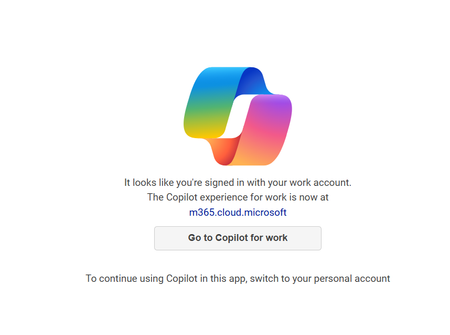
New copilot app can't switch from work to personal account
I installed the app from the Windows 11 store yesterday, and it was working fine just like it did on my mobile app. I made sure I signed in with my personal Microsoft account on both. Today, whe...
 Oct 06, 2024
Thank you very much for this. For those who are still having issue after the Windows 24H2 update, clear Copilot associated cookies by following the instructions below:
In Edge, select Settings and more > Settings > Cookies and site permissions.
Under Cookies and data stored, select Manage and delete cookies and site data > See all cookies and site data and search for the site whose cookies you want to delete.
- Search for Copilot in the list of saved cookies, and then delete them all. This should reset the Copilot app and restart the App with a fresh setup.
tanghm
Oct 06, 2024Brass Contributor
Thank you very much for this. For those who are still having issue after the Windows 24H2 update, clear Copilot associated cookies by following the instructions below:
In Edge, select Settings and more > Settings > Cookies and site permissions.
Under Cookies and data stored, select Manage and delete cookies and site data > See all cookies and site data and search for the site whose cookies you want to delete.
- Search for Copilot in the list of saved cookies, and then delete them all. This should reset the Copilot app and restart the App with a fresh setup.

jimmyl1915
Oct 23, 2024Copper Contributor
this is help me so much .. thx