Forum Discussion

Power Point Alt Tags
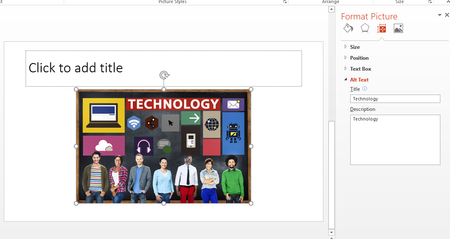

Hi AJ
From what you have shown, and from what I understand, you've applied the Alt text correctly.
I don't know why your software isn't picking up on the text when you run it although I don't personally use any accessible technologies and can't really test it for you.
It might be worth testing the presentation on other readers if you haven't already tried, otherwise I don't have the answer that you seek.
You've got me on this one!
Good luck friend!
Damien

No worries, and I appreciate your attempts.
I'm starting to think I'm asking the wrong questio. I tried a separate computer and it worked with a similar setup, so I'm wondering now if it's a setting I have set somewhere in my local instance of PPT on my work computer. Works fine on my personal one though.
- Damien_RosarioJan 11, 2018Silver ContributorA frustrating problem! Sometimes when I have usual issues like this when I don't know why it's happening, I create a fresh (new) PPTX file, copy the text from my other slide show into the new one, and then see if that resolves the issue.
You'd probably have to recreate the slide show, but it might be a workaround to your issue.
I suggest you try with one or two slides and see if the reader works on that?
Cheers
Damien