Forum Discussion

Copying Links to Paragraphs in OneNote
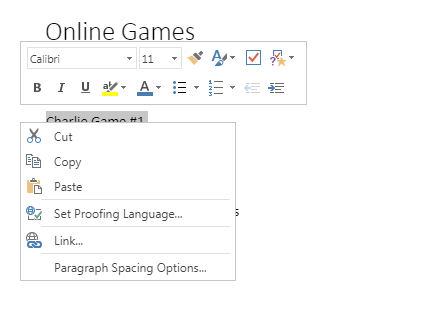

Copy and paste a link to a paragraph
Move your cursor to the left edge of the paragraph you want to link.
Right-click the four-headed arrow next to the paragraph the link should point to.
On the shortcut menu, click Copy Link to Paragraph.
The link to the selected paragraph and the paragraph text are copied to the Clipboard.
Click the location on the page that is to contain the link.
Right-click the location on the page that is to contain the link, and on the shortcut menu, choose Paste.
OneNote inserts a link that, when clicked, displays the target paragraph.

Paras Dodhia Hi, the Copy Link to Paragraph. does not appear on One Note, hence the same question I too have as the original poster.
It is mentioned on all MS OneNote documentation, but does not seem to appear.
Please do suggest any further,
Thanks
 backgroundc52Jun 18, 2020Copper Contributor
MufeedA I can only get it to work in the actual app not the in-brower app.