Forum Discussion

Gmail to Microsoft 365 Migration Issue Open for 7+ Days – Seeking Guidance or Escalation Path
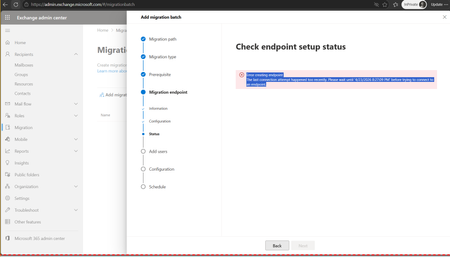

Waiting more than a week for a migration issue can definitely be frustrating, especially when users are depending on access to their mailboxes.
If the issue is preventing you from completing the migration, it may be worth verifying whether it's related to the migration service itself or to Google Workspace/Microsoft 365 permissions, API access, or throttling. Running a small pilot migration with a single mailbox can sometimes help isolate the root cause.
In our case, we used the EdbMails Google Workspace Migration to migrate mailboxes from Google Workspace to Microsoft 365. The process was straightforward, and we were able to migrate emails, contacts, calendars, and other mailbox data directly between the two platforms. The incremental migration feature was particularly useful because we could synchronize only the newly arrived items after the initial migration instead of migrating everything again.
If you're still using Microsoft's migration service and the issue has been open for more than seven days, I'd recommend checking the Microsoft 365 Service Health dashboard, reviewing the migration logs for any specific errors, and opening a support ticket with all relevant diagnostic information if you haven't already. That usually helps speed up the investigation.