Forum Discussion

VLOOKUP help
- Jul 06, 2018
Hey Jusdin-
Hope you're doing well. You'll need an array formula to accomplish your task. Try something like this:
=IFERROR(INDEX(Main!$A$2:$G$7, SMALL(IF(Main!$A$2:$G$7="Resolved", MATCH(ROW(Main!$A$2:$G$7), ROW(Main!$A$2:$G$7)), ""), ROWS(A2:$A$2)), COLUMNS($A$1:A1)),"")
Confirm using CTRL + SHIFT + ENTER
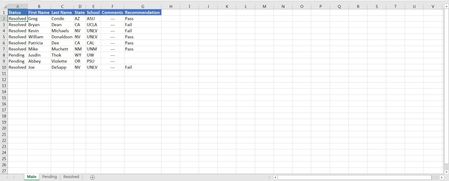
I've also attached an example .xlsx file for your reference.

Hey Jusdin-
Hope you're doing well. You'll need an array formula to accomplish your task. Try something like this:
=IFERROR(INDEX(Main!$A$2:$G$7, SMALL(IF(Main!$A$2:$G$7="Resolved", MATCH(ROW(Main!$A$2:$G$7), ROW(Main!$A$2:$G$7)), ""), ROWS(A2:$A$2)), COLUMNS($A$1:A1)),"")
Confirm using CTRL + SHIFT + ENTER
I've also attached an example .xlsx file for your reference.

Thank you Matt! Worked perfectly!!!
- Matt MickleJul 09, 2018Bronze Contributor
Glad you were able to get it working! Array formulas are quite useful in certain situations. Here's a link to some Guidelines and examples:
https://support.office.com/en-us/article/guidelines-and-examples-of-array-formulas-7d94a64e-3ff3-4686-9372-ecfd5caa57c7