Forum Discussion

VBA userform
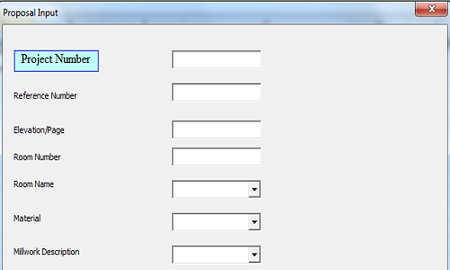

So what you have here is basically a project with multiple millworks. That would normally mean you would need two tables; one with the projects and one with the millworks. The project table would need a unique identifier for each row of data (called "Record" in database terms) and the millworks table needs a column (called "Field" in database terms) with the associated project identifier from the projects table. Long story short: DON'T TRY creating a database in Excel. Save yourself big headaches by using a proper database application. MS Access is a good way to start.
 Jim ConawayJul 11, 2018Copper Contributor
Jan, thank you for your reply. Interestingly, I am currently taking a course on Access and started thinking the same thing, but I am not sure how to get the project relate to a number of millwork descriptions. I am learning. Thanks again.
- JKPieterseJul 12, 2018Silver ContributorAFter defining both tables in MSAccess, click on Database tools and click the relationships button. Drag the ID field from the projects table to the related project ID field in the millworks table to create a (one to many) relationship.