Forum Discussion

vba Function for COUNT Condition Color Cells
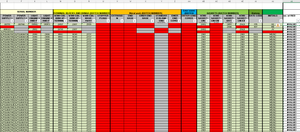
- Aug 30, 2022
1) Copy the following code into a standard module.
Sub CountColors()
    Dim r As Long
    Dim m As Long
    Application.ScreenUpdating = False
    m = Range("E:AJ").Find(What:="*", SearchOrder:=xlByRows, SearchDirection:=xlPrevious).Row
    For r = 4 To m
        Cells(r, 37).Value = CountRed(r)
    Next r
    Application.ScreenUpdating = True
End Sub

Function CountRed(r As Long) As Long
    Dim c As Long
    For c = 5 To 36 ' E to AJ
        If Cells(r, c).DisplayFormat.Interior.Color = vbRed Then
            CountRed = CountRed + 1
        End If
    Next c
End Function
2) Run the Countcolors macro once to populate column AK. It can easily be expanded if you want to count green and grey in other columns.
3) Right-click the sheet tab.
Select 'View Code' from the context menu.
Copy the following code into the worksheet module.
Private Sub Worksheet_Change(ByVal Target As Range)
    Dim rng As Range
    Dim r As Long
    If Not Intersect(Range("E4:AJ" & Rows.Count), Target) Is Nothing Then
        Application.ScreenUpdating = False
        Application.EnableEvents = False
        For Each rng In Intersect(Range("E4:AJ" & Rows.Count), Target).Rows
            r = rng.Row
            Cells(r, 37).Value = CountRed(r)
        Next rng
        Application.EnableEvents = True
        Application.ScreenUpdating = True
    End If
End Sub
This will update the count automatically when you edit cells in columns E to AJ.

Can you explain in more detail what you want to accomplish? Thanks in advance.

HansVogelaar I have tried to use your code and several others to count the number of correct (green) answers and calculate scores for students. Could you please review my work and help me with sheet 4 (DL Exams)? I cannot seem to get the functions created and ran properly. I will be glad to email you the worksheet if you want.
- HansVogelaarJul 14, 2023MVP
Perhaps
=IF(SUM(--(O5:O34=$B$5:$B$34))=0,"",=SUM(--(O5:O34=$B$5:$B$34)))
or
=IF(COUNTA(O5:O34)=0,"",SUM(--(O5:O34=$B$5:$B$34)))
- rgall005Jul 14, 2023Copper ContributorI want it not to return a zero count when O5:O34 is completely blank. With just the SUM formula in there is returns zero, which transposes to another sheet.
- HansVogelaarJul 14, 2023MVP
If a cell in O5:O34 is blank, it won't be counted since it is not equal to the correct answer in column B.
If some cells in B5:B34 could be blank for some reason, you could use
=SUM(($B$5:$B$34<>"")*(O5:O34=$B$5:$B$34))
- rgall005Jul 14, 2023Copper ContributorHans,
How would I not count blank cells in a column in the formula you did =SUM(--(O5:O34=$B$5:$B$34))?
Thanks - rgall005Jul 10, 2023Copper Contributor
HansVogelaar, Thanks that does exactly what I need. I was missing the simplest of solutions.
- HansVogelaarJul 07, 2023MVP
I'd use a much simpler solution without any VBA.
In the attached workbook, I have inserted the correct answers in column B, and used that for both the conditional formatting (now a single rule for all rows!), and for the calculation of the number of correct answers per student.
- HansVogelaarJul 07, 2023MVP
I get "Access Denied"...
If you wish, you can send the workbook in a private message to me (click on my user picture)
- rgall005Jul 07, 2023Copper ContributorThank you for such a quick response. I have been beating my brain out wondering why I cant get it to work and I know it is a simple dot or cross I am missing. Here is the link to my workbook (nothing is sensitive), as it is a very basic version of the larger one I am creating. Please let me know if you can help with this piece. https://drive.google.com/file/d/1mpUjpTSw0qNFZz0R2gz5Y2oLDK-FrW68/view?usp=drive_link
- HansVogelaarJul 07, 2023MVP
Could you attach a small sample workbook demonstrating the problem (without sensitive data), or if that is not possible, make it available through OneDrive, Google Drive, Dropbox or similar?