Forum Discussion

VBA code for specific import
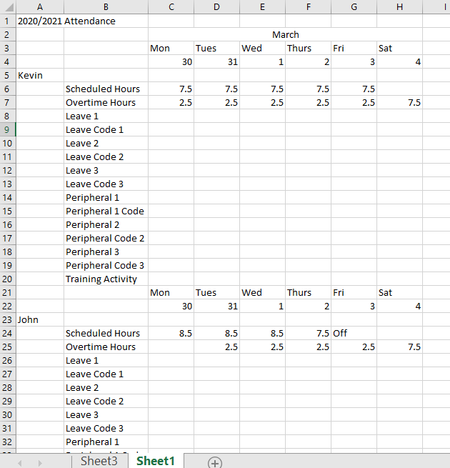

Rita2020 You mention that you "managed to combine all the files". May I assume that you thus have one large file (that you can change) with all employees' attendance in the layout that you gave in your example?
If so, and when your version of Excel recognises the FILTER function, there is an easy way to achieve this, without VBA.
On your combined file, move the content of cell A1 over to B1 and insert one cell in A1, shifting all cells in column A down one row. This will align the name with the scheduled hours. Then, in a new sheet you can created a few header rows, similar to above and enter the FILTER formula as shown. Sit back and see what happens. Have attached a file replicating your example. Now, let me know if this works for you or not.
 Rita2020Mar 10, 2020Copper Contributor
Riny_van_Eekelen That absolutely will work and I will try today. So I can get rid of unwanted data in columns in transform and edit, and probably most of the null rows. And will move the name cells down by one once I have loaded the combined data.
If an employee's hours change, I want to be able to update my new table. Is it possible to refresh without my new sheet losing all of it's formatting?
Thank you for your help.
- Riny_van_EekelenMar 10, 2020Platinum Contributor
Rita2020 You are welcome. Can't really tell about the formatting until I see the table.