Forum Discussion

VBA Code: ensuring users fill out specific cells
- Dec 19, 2024
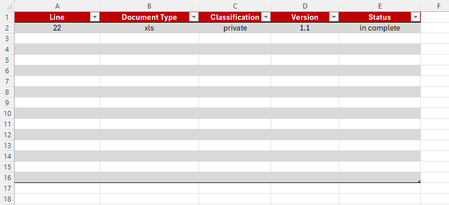
A workaround I used recently with a client was to utilize conditional formatting to indicate when a record was incomplete.
This is exactly what I was going to suggest. Just create a cell off to the right (or left (or both)) that is red until each cell has content. The VBA solution, even if it can be made to work, is overkill.
Of course, unless you're using Data Validation as well, it's possible that one or more of the cells may have invalid data. But I'm also assuming that the omissions you're experiencing are inadvertent and that, in fact, all your colleagues need is the kind of reminder that the Red conditionally formatted cell would provide.


The issue with a vba solution is that it's very easy to not enable content:
- if the workbook is opened from the web, it will disable all vba macros
- if the workbook contains 'the mark of the web', Windows will block it and then Excel will view it as "untrusted"
- Someone can simply choose to not enable content on open
A workaround I used recently with a client was to utilize conditional formatting to indicate when a record was incomplete. When the information is entered then the fill goes away. It's not fool-proof, but it was working in a situation where 7-8 people were in the workbook at the same time.
- mathetesDec 19, 2024Gold Contributor
A workaround I used recently with a client was to utilize conditional formatting to indicate when a record was incomplete.
This is exactly what I was going to suggest. Just create a cell off to the right (or left (or both)) that is red until each cell has content. The VBA solution, even if it can be made to work, is overkill.
Of course, unless you're using Data Validation as well, it's possible that one or more of the cells may have invalid data. But I'm also assuming that the omissions you're experiencing are inadvertent and that, in fact, all your colleagues need is the kind of reminder that the Red conditionally formatted cell would provide.