Forum Discussion

JT_FrankGroup
Aug 10, 2022Copper Contributor
VBA Code - Autofill Down - Copying two cells down to the end of the last row
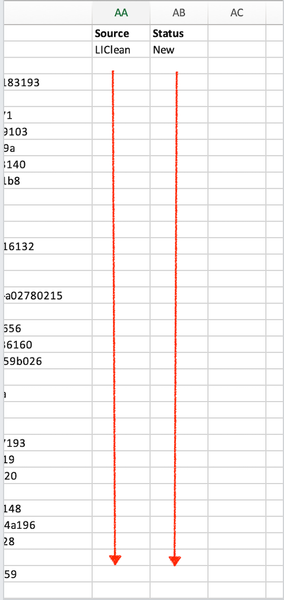
Need help correcting a Macro that will automatically copy data in two cells down to the last row. I have attempted to use the other conversations similar to this to fix error I am receiving but I co...
- Aug 10, 2022
Try this version:
Sub CopyDownAA_AB()
    Dim LastRow As Long
    LastRow = Cells.Find(What:="*", SearchOrder:=xlByRows, SearchDirection:=xlPrevious).Row
    Range("AA2:AB2").AutoFill Destination:=Range("AA2:AB" & LastRow)
End Sub

HansVogelaar
Aug 10, 2022MVP
The code looks OK (although it is not necessary to select ranges). What is the error message that you receive?
 JT_FrankGroupAug 10, 2022Copper Contributor
HansVogelaar Thanks for getting back with me! Each sheet has a different number of rows. So when I use the macro on another sheet, it only goes down to Row 105, even if I have 200 rows. I need it to copy down to the last row, regardless of how many rows there are.
- HansVogelaarAug 10, 2022MVP
Try this version:
Sub CopyDownAA_AB() Dim LastRow As Long LastRow = Cells.Find(What:="*", SearchOrder:=xlByRows, SearchDirection:=xlPrevious).Row Range("AA2:AB2").AutoFill Destination:=Range("AA2:AB" & LastRow) End Sub- JT_FrankGroupAug 12, 2022Copper ContributorPerfect! Thanks for the help.