Forum Discussion

User Forms not displaying correctly in MS365 Excel for Mac
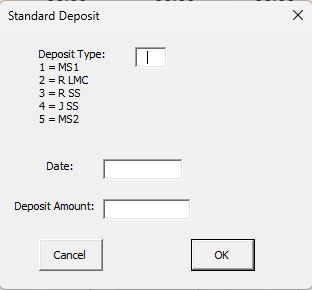

As you wrote, Excel for MAC is not capable to manage userforms.
You can use, for example, helper sheets to use as userform.
Bye.
 RLHNOct 16, 2026Copper Contributor
I know I can't CREATE or EDIT a User Form in Excel for MAC, but I thought I could edit it on Windows and it should actually WORK on MAC, as my other macros do. I'm hopefully looking for a change to the user forms that will make it work on MAC.
I'm not familiar with "helper sheets", but I'll look into it! Thanks!
- RLHNOct 18, 2026Copper Contributor
So my experimentation shows that it's apparently just the "List Box" control type that does not work properly on Mac. [I'm sure there are lots of other things, but everything else that I'm actually using in this project seems to work.] I'm going to replace the ListBox (es) with CommandButton(s) in a Frame, which allows only one button to be selected. I have confirmed that this type of UserForm can be created on Windows and will still work on Mac (although the displayed UserForm is quite small on Mac).
Now I just have to modify the associated VBA code (which I wrote probably 25 years ago!) to use the new UserForms instead of the old ones! Good challenge, I suppose!