Forum Discussion

Use VBA to Autofill a Row until the end of the number of data in another row
 Mar 25, 2019
Hi Haytham Amairah,
I was facing similar issues and chanced upon this thread. If i have two columns (O and P) that i wish to autofill via VBA, do I amend the code from:
Selection.AutoFill Destination:=Range("O2:P313")
Range("O2:P313").Selectto:
Selection.AutoFill Destination:=Range("O2:O" & Range("E" & Rows.Count).End(xlUp).Row)
Range(Selection, Selection.End(xlDown)).Select
Selection.AutoFill Destination:=Range("P2:" & Range("E" & Rows.Count).End(xlUp).Row)
Range(Selection, Selection.End(xlDown)).Select

Replace these lines of code:
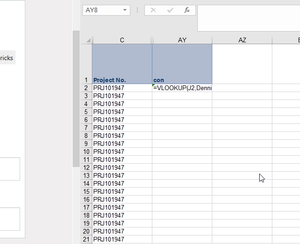
Selection.AutoFill Destination:=Range("AY2:AY1662")
Range("AY2:AY1662").Select
With this:
Selection.AutoFill Destination:=Range("AY2:AY" & Range("E" & Rows.Count).End(xlUp).Row)
Range(Selection, Selection.End(xlDown)).Select
Give it a try!
And provide me with any feedback!

- Haytham AmairahAug 16, 2019Silver Contributor
- To31416Aug 16, 2019Copper Contributor
Thanks for your quick reply!
I have an Excel file in which I import various reports and in this file I have a sheet, where I use those data for my formulas.
The various reports I import have the same length but differ in length every day.
In my main sheet where I use the imported data the first row always stays the same with all kind of formulas. However, I want my Macro to autofill the other rows until there is no more data in one of the imported reports.
Right now I have to set the autofill range manually. So if the report is too long, it's either cut or if it's too short I get errors.
Hope that was understandable.
Kind regards
- Haytham AmairahAug 16, 2019Silver Contributor
It seems that this situation is different!
But I think you need to somehow get the total number of rows in the imported reports and then use that number in the macro.
If you can attach your file or a sample of it, this is would be helpful!