Forum Discussion

Kai El Harrar
Dec 14, 2017Copper Contributor
Use VBA to Autofill a Row until the end of the number of data in another row
Hello,
I need some help with the following problem:
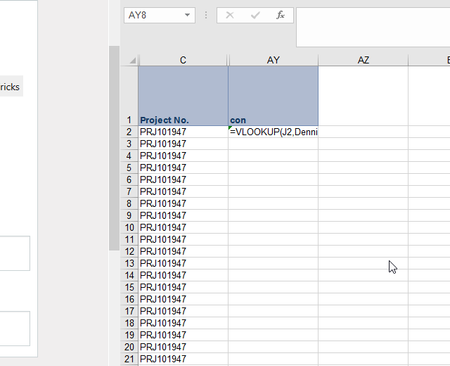
The Macro should select the first cell with the vlookup (AY2) and autofill the complete range in the column AY until the last row that ...
 Mar 24, 2019
Hi Haytham Amairah,
I was facing similar issues and chanced upon this thread. If i have two columns (O and P) that i wish to autofill via VBA, do I amend the code from:
Selection.AutoFill Destination:=Range("O2:P313")
Range("O2:P313").Selectto:
Selection.AutoFill Destination:=Range("O2:O" & Range("E" & Rows.Count).End(xlUp).Row)
Range(Selection, Selection.End(xlDown)).Select
Selection.AutoFill Destination:=Range("P2:" & Range("E" & Rows.Count).End(xlUp).Row)
Range(Selection, Selection.End(xlDown)).Select

Thomas2170
May 18, 2020Copper Contributor
Thanks@Haytham,
But i m facing one issue that it is autofilling as 1 I want it be filled in series. Like 1,2,3 and so on
But i m facing one issue that it is autofilling as 1 I want it be filled in series. Like 1,2,3 and so on
Thomas2170
May 19, 2020Copper Contributor
Please also could you help me with the same for autofill ing down in series depending on data in the coloumn beside it