Forum Discussion

Trouble with XMATCH using multiple criteria and a wildcard
- Sep 17, 2020
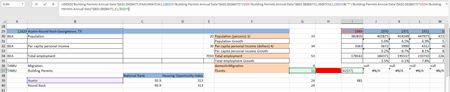
But you have no wildcard for the XMATCH here. Your formula is like
XMATCH(1, condition, ...
If use wildcard it shall be where 1 is. In condition you compare texts like "Austin*" = "Austin Something" and it's never returns TRUE since here wildcard doesn't work.
As variant you may use ISNUMBER(SEARCH(... in condition with exact match for XMATCH.


THAT is one ambitious workbook. And you clearly are not a novice Excel user. So rather than personally try to diagnose, I'm going to make the suggestion that, just in case you haven't become aware of them, Excel late last year issued some new Dynamic Array functions--notably SORT, UNIQUE, FILTER--that might be able to help in your situation. FILTER in particular works well with multiple criteria without the need for multiple levels of nesting. I was not aware of them until I stumbled across this video, and they've been life-changing in many ways. Well, spreadsheet-changing at least.
Here's a YouTube video that serves as a good intro to those functions and their applications. https://www.youtube.com/watch?v=9I9DtFOVPIg
